Apps and watch faces
The firmware carries no apps, faces or launcher of its own. Everything you see apart from the notifications and quick settings is installed from the companion app into the watch's storage, so you choose what is on your watch.
Installing from the store
The companion app has a store with every app, face and plugin made in the BattleTime repository, ready to install or uninstall, plus any you add from a file or download from a GitHub repository's releases. Plugins are the phone-side halves of watch apps. See app-store.md.
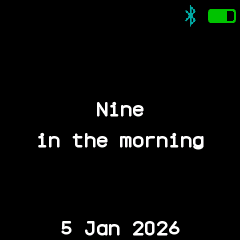
A new watch starts with a help screen that shows the time and asks you to install a face; the companion app's setup installs a face, the launcher and a set of apps in one go.
Turning apps on and off
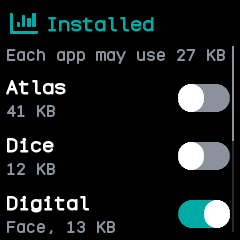
The Software app lists every installed app and face with a switch and the memory it needs while open; the companion app's apps screen shows the same. Before an app is installed or turned on, the watch works out how much memory it needs, and refuses one that would not fit, or that would leave the launcher without room for its longer list, saying why. The launcher and the last face always stay on.
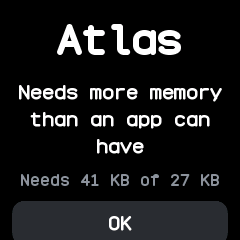
An app opened without enough free memory does not start; a page says how much it needs and how much is free. Apps remember where they were: an app's state is saved when it closes or the screen turns off, and put back when it opens.
The apps
There are 39 apps, ported from InfiniTime and wasp-os and merged where both had the same one, plus apps of BattleTime's own. Each has a page under apps.md. Among them:
- Time: alarm, timer, stopwatch and pomodoro.
- Phone: call, music, weather, navigation, phone finder, notes, remote and QR code.
- Health: steps, heart rate and sports.
- Games: 2048, snake, paddle, puzzle 15, four in a row, Game of Life, dice and paint.
- Tools: calculator, flashlight, metronome, level, motion, beacon, Morse, haiku and more.
- System: the launcher, Settings, Software, About and Files.
A few work hand in hand with the companion app:
- Notes shows a note you type in the companion app, a text file, or a web page it fetches every minute, copied to the watch again whenever it changes.
- Remote shows up to nine buttons you set up in the companion app, each with an icon and an action such as a web request, which the phone runs when you tap it.
- QR code keeps up to eight codes made in the companion app from a link, text or a Wi-Fi network, and shows one black on white at full brightness for another phone to scan.
- Temporary apps open on the watch without being installed, such as a question to answer Yes or No with the prompt. One opens over whatever shows, and closes when you go back, the phone stops it or the phone disconnects.
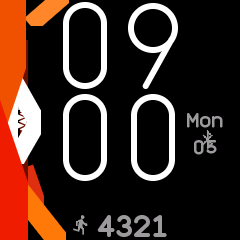
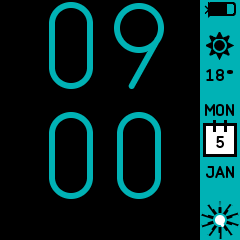
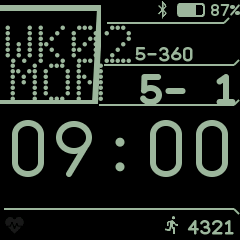
Watch faces
There are 28 faces, ported from InfiniTime, wasp-os, PinetimeLite and ZephyrLabs' Watchfaces and listed in faces.md. Face in Settings steps back and on through the faces turned on in Software, as InfiniTime's watch face setting does, and the companion app can choose one too. The chosen face shows at once and after a restart; if it is turned off or removed, the first face turned on shows instead. Some faces open their own settings on a long press.