Watch faces
BattleTime ships every face from InfiniTime, wasp-os and PinetimeLite, and faces from ZephyrLabs' Watchfaces collection, each redrawn for BattleTime. Faces install and uninstall from the companion app's store like any app, and Software turns each one on or off.
Choosing a face
- Open Settings and tap Face, then step through the faces with the arrows. Only faces turned on in Software are offered.
- If the chosen face is uninstalled or turned off, the watch shows the first face that is turned on, in order of their ids.
- From the face, a swipe down opens the notifications, a swipe up the launcher, and a swipe left or right steps round the quick apps.
- A few faces do something on a long press, noted below. PineTimeStyle, Infineat and the pride flag open a settings screen; its tick button goes back to the face.
Gallery
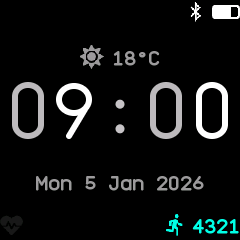
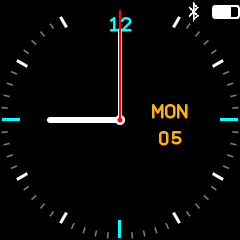
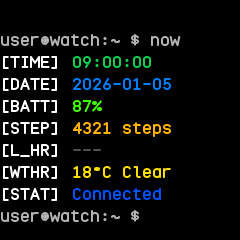
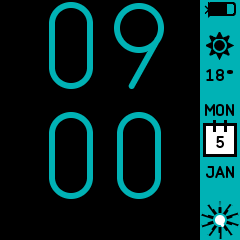
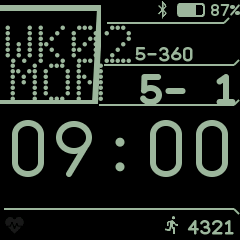
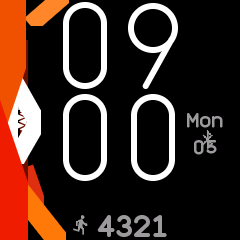
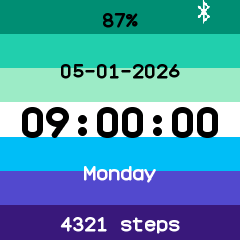
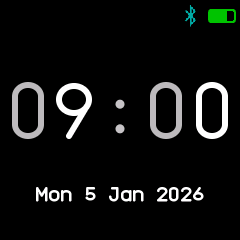
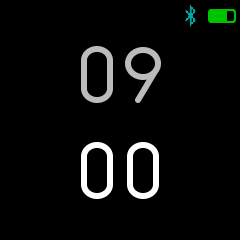
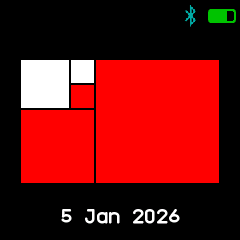
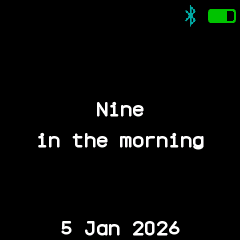
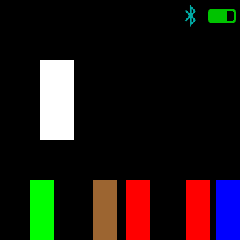
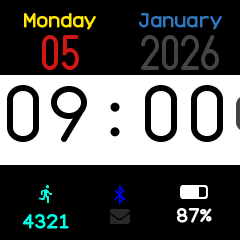
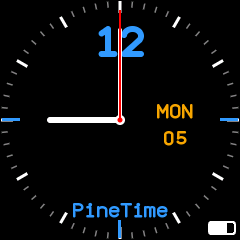
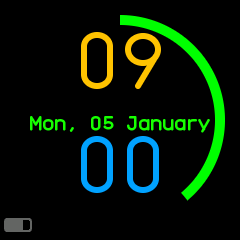
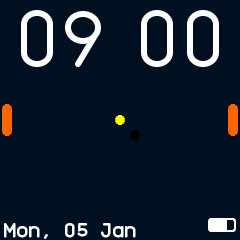
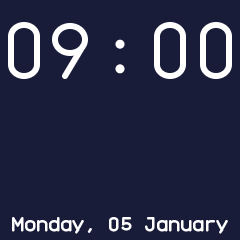
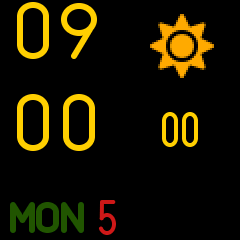
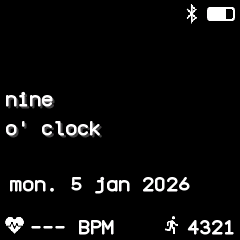
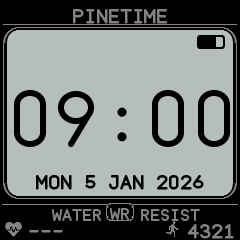
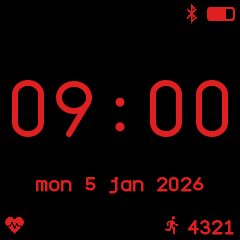
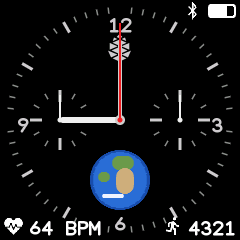
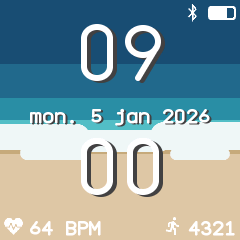
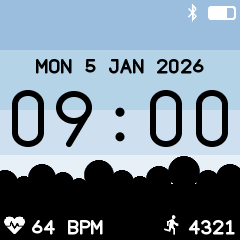
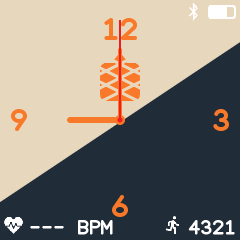
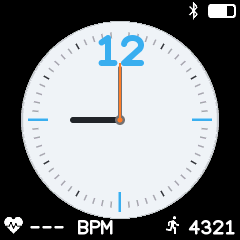
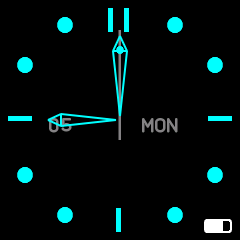
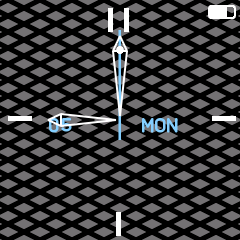
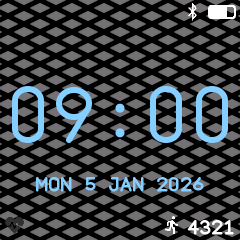
In order: Digital, Analog, Terminal, PineTimeStyle, Casio G7710, Infineat, Pride flag, Week clock, Dual clock, Fibonacci clock, Word clock, Resistor clock, Lite Digital, Lite Analog, Lite Rings, Lite Pong, Lite Photo, Lite Weather, Phrase clock, Digistyle, RGB, Chrono, Waves, Park Skyline, Pinealog, Breeze, OmegaTime, and Fancy in its analog and digital looks.
Every face
The Notes column is also each face's description in the companion app's store.
| Face | From | Notes |
|---|---|---|
digital |
InfiniTime WatchFaceDigital, wasp-os clock | The time in big two-tone digits, with the date, weather, status icons, heart rate and steps. |
analog |
InfiniTime WatchFaceAnalog, wasp-os chrono | A dial with hour, minute and second hands, the weekday and date; a long press turns the second hand off and on to save power. |
terminal |
InfiniTime WatchFaceTerminal | A shell prompt listing the time, date, battery, steps, heart rate, weather and connection. |
pinetime-style |
InfiniTime WatchFacePineTimeStyle | Giant digits beside a sidebar with battery, weather, a calendar and a step gauge; a long press sets its colours, gauge and weather. |
casio |
InfiniTime WatchFaceCasioStyleG7710 | Casio G-7710 style, with the weekday, week number, day of the year and days left, the date and a big time. |
infineat |
InfiniTime WatchFaceInfineat | Big digits beside coloured stripes and a pine logo that shows the battery; a long press picks the colours and side cover. |
pride-flag |
InfiniTime WatchFacePrideFlag | The time, date, weekday, battery and steps over a pride flag; a long press chooses the gay, trans, bi or lesbian flag. |
week-clock |
wasp-os week_clock | Big two-tone digits over the weekday and date, with a status bar above. |
dual-clock |
wasp-os dual_clock | The hours above the minutes in big digits, the hours dimmer, with a status bar above. |
fibonacci-clock |
wasp-os fibonacci_clock | Five coloured squares that add up to the time: red for hours, green for minutes in fives, blue for both. |
word-clock |
wasp-os word_clock | The time written out in words, such as "nine in the morning", over the date. |
resistor-clock |
wasp-os resistor_clock | The time and date as bands in the resistor colour code. |
lite-digital |
PinetimeLite WatchFaceDigital | The time on a white band with a bar that grows with the seconds, the date above and steps, Bluetooth, notifications and battery below. |
lite-analog |
PinetimeLite WatchFaceAnalog | Two dials, a classic one and a rays one with steps; a long press switches dial and a double tap hides the second hand. |
lite-rings |
PinetimeLite WatchFaceMinimal | Rings for the hour, minute and second around the time and date. |
lite-pong |
PinetimeLite WatchFacePong | Two rackets play an endless rally under the time. |
lite-photo |
PinetimeLite WatchFaceCustom | The time with a blinking colon and the full date over a coloured backdrop; a long press picks the next backdrop. |
lite-weather |
PinetimeLite WatchFaceWeather | Big stacked digits with the seconds, the weather icon, and the weekday and day. |
phrase-clock |
ZephyrLabs Wordclock | The time as a lower-case phrase, such as "nineteen minutes to nine", over the date, with heart rate and steps below. |
digistyle |
ZephyrLabs Digistyle | An old digital watch: a pale LCD panel with big digits and the date inside a bezel lettered PINETIME and WATER WR RESIST. |
rgb |
ZephyrLabs RGB | InfiniTime's classic digital face, its time, date and icons cycling round the colour wheel every 12 seconds. |
chrono |
ZephyrLabs Chrono | A chronograph dial with a pine cone, a small globe and two stopwatch subdials; a tap starts or stops the stopwatch and a long press clears it. |
waves |
ZephyrLabs Waves | Big shadowed hours over the minutes, with the date between them, on a beach of sea, surf and sand. |
park-skyline |
jlukanc1 Park Skyline | The date and a big black time on a pale sky, over a black treeline with the heart rate and steps. |
pinealog |
ZephyrLabs Pinealog | A cream and navy dial split on the diagonal, with the Pine64 pine cone, orange hands and numerals, the heart rate and steps. |
breeze |
ZephyrLabs Breeze | KDE Breeze's pale round dial on black, with blue marks, a charcoal, grey and orange set of hands, the heart rate and steps. |
omega-time |
jlukanc1 OmegaTime | A glowing cyan dial of dots and bars with outlined arrow hands, a second hand carrying a dot, and the day and weekday. |
fancy |
jlukanc1 Fancy | A grey and black lattice behind either outlined arrow hands or big digits over the date; a long press switches between the two. |
Differences from the originals
- Faces with settings open them as a second screen on a long press, in place of the buttons that pop up over the face in InfiniTime.
- Lite Photo shows plain coloured backdrops in place of PinetimeLite's photos.
- Lite Weather draws its big digits plain rather than striped, and Lite Analog uses plain hands.
- Digistyle redraws its bezel, a picture in the original, with lines and boxes, and shows the time in the huge font in place of the original's seven-segment font; its panel is a pale grey, lighter than the picture's mid grey, as the panel looks on the watch.
- RGB steps its colour 30 degrees each second, where the original shifts it a few degrees many times a second; both go round the wheel in about 12 seconds. Its time uses the huge font in place of JetBrains Mono ExtraBold.
- Phrase clock keeps the original's wording, which counts the hours past the hour on a 24 hour dial ("twenty minutes past thirteen") but the hours to the hour on a 12 hour one ("ten minutes to one").
- Chrono, Waves and Park Skyline draw their pictures with coloured shapes in place of ZephyrLabs' bitmaps, which do not fit in a face's memory: Chrono's globe is a blue disc with two continents, Waves' beach is bands of sea, surf and sand, and Park Skyline's park is a row of black tree crowns.
- Chrono's stopwatch starts and stops with a tap rather than a swipe right, which the face leaves to the quick apps. It keeps running while the face is closed. Its dial is grey, as in its source, and its hands use BattleTime's widths.
- Waves and Park Skyline draw their digits in BattleTime's huge font rather than JetBrains Mono ExtraBold, and Waves writes its date in the normal font.
- Pinealog, Breeze and Fancy drew full-screen pictures too, also redrawn with shapes. Pinealog's two-tone background is one wide band and its pine cone an orange block cut by cream lines. Breeze's dial is a circle with two rings of ticks. Fancy's pattern of pine cones becomes a lattice of black lines on the same grey, and its digits are thinner than the original's extra-bold font.
- Pinealog and Breeze draw their hands at BattleTime's usual widths, thinner than the originals'. OmegaTime's and Fancy's hour hands step every twelve minutes, so the arrow stays one step wide.
- Fancy was two faces, one digital and one analog; here it is one face, and a long press switches between them and remembers the choice.
- Faces that show seconds redraw every second; the others redraw once a minute, as does Analog while its second hand is off.
Faces are written like apps; see writing an app and the app reference for how to write one.