Settings
Changes the watch's settings, from the screen and the ways it wakes to the clock, the step goal, the watch face and the theme. Merged from InfiniTime's Settings and wasp-os's settings app.
Using it
- The main screen is one list; swipe up and down to scroll it.
- A row with a value on the right opens a screen of choices; tap one to choose it. The chosen one is filled in. Press the side button to go back to the list.
- A row with a switch changes as soon as it is tapped.
- Brightness: low, medium or high.
- Screen off: how long the screen stays on, from 5 seconds to 2 minutes.
- Always on: keeps the screen on.
- Wake opens the ways to wake the screen, from InfiniTime:
- Touch: whether a touch wakes it: the button only, a tap, or a double tap.
- Raise wrist: turning the watch towards you wakes it.
- Shake: shaking the wrist wakes it, if harder than the Shake strength.
- Shake strength opens a screen with two half rings: the outer one is the strength a shake must reach, which you can drag, and the inner one is how hard your wrist moves now. Tap Calibrate, get ready while it says Ready!, then shake as you would to wake the watch while it says Shake!; the strength is set just below your hardest shake. Tap the button again to stop early.
- Lower to sleep: letting your arm fall turns the screen off.
- 24 hour clock and Metric units.
- Step goal: the daily goal, set with - and + in steps of 500, from 1000 to 50000.
- Chimes: off, every hour or every half hour.
- Heart rate: how often the watch measures your heart rate when no app asks, as InfiniTime offers: off, always, or every 30 seconds, minute, 5, 10 or 30 minutes. Each measurement lasts until a reading, or 30 seconds at most, and runs with the screen off too.
- Do not disturb, and Alarms in DND: whether alarms still ring while it is on.
- Sleep mode: do not disturb that also stops every way of waking the screen but the button, and the always-on screen. Turning do not disturb off ends it.
- Face: the watch face, shown by name. Its screen steps back and on through the faces turned on in Software with the two arrow buttons, wrapping round, and the face changes at once, as InfiniTime's watch face setting does. If the chosen face is turned off or removed, the first face turned on shows instead.
- Theme: one of six preset themes, each shown in its own colours. The companion app can set colours of your own, which show here as Own.
- Bluetooth: off until the next restart.
- Updates: whether the watch takes firmware updates and app installs over Bluetooth. A tap steps through On, Temporary and Off; Temporary is on only until the watch next restarts, as InfiniTime's "till reboot", so it starts again with updates off. Confirming or rolling back a new firmware is on the About app's first page.
- Date & time sets the clock by hand, for when no phone has, as InfiniTime's date and time screens do. It opens on today's date as rollers for the day, month and year, with a page bar below; drag a roller up or down, or tap a number above or below the middle one to step it. The day stops at the month's last day, counting 29 February in a leap year. Swipe left for the time, as rollers for the hour and minute, with an AM/PM button on a 12 hour clock. Set sets the clock to that date and time at 00 seconds, in the watch's time zone, and goes back to the list; the side button leaves without changing it.
Screens
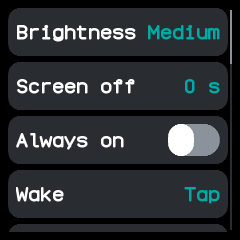
The top of the list.
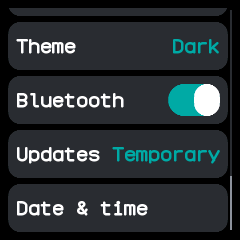
The end of the list, scrolled down, with updates on until the next restart.
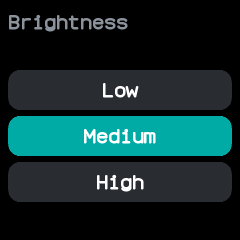
Brightness, opened from its row.
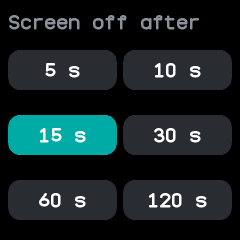
How long until the screen turns off, opened from Screen off.
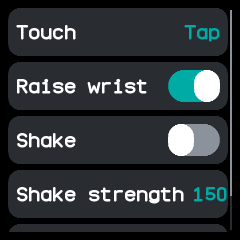
What wakes the screen, opened from Wake.
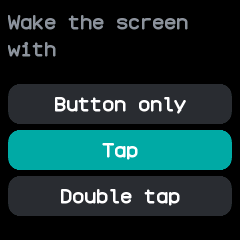
Which touch wakes the screen, opened from Touch.
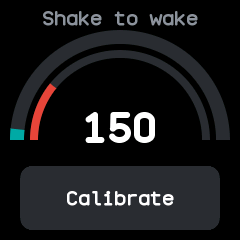
The shake strength, opened from Shake strength, with the wrist moving a little.
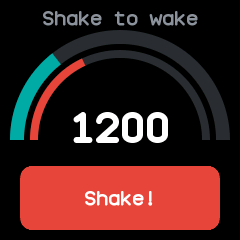
Recording a shake: the strength follows the hardest shake so far.
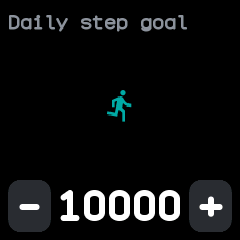
The daily step goal, opened from Step goal.
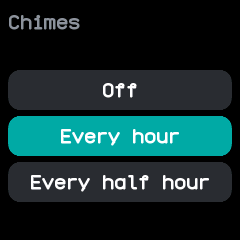
Chimes, opened from its row.
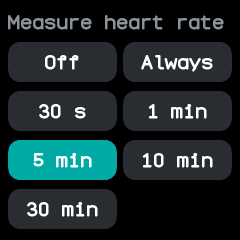
How often to measure the heart rate in the background, opened from Heart rate.
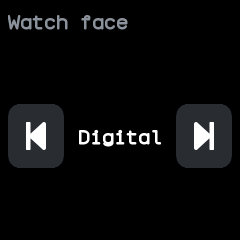
The watch face, opened from Face; the arrows step to the face before or after it.
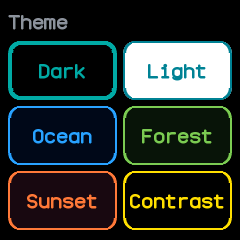
The preset themes, opened from Theme; the chosen one has a thicker border.
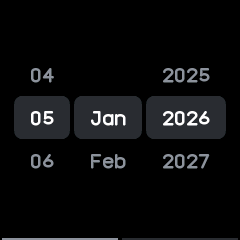
The date, opened from Date & time at the end of the list, starting from today.
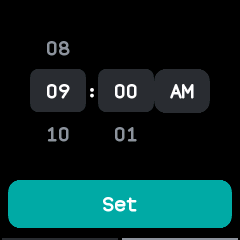
The time, a swipe left from the date, here on a 12 hour clock.
With the companion app
Every change is saved on the watch, so the companion app sees it, and the companion can change the same settings from the phone. It can also set theme colours of your own, which the Theme row shows as Own.