Beacon
A beacon that flashes the green LED of the heart rate sensor, at a brightness and rate you choose, using little power. Ported from wasp-os's beacon app.
Using it
- Tap the switch beside the name to start or stop flashing.
- Drag or tap the Intensity slider to set how bright each flash is, in four steps.
- Drag or tap the Frequency slider to set how often it flashes, in eight steps from slow to nearly steady.
- The strip of green dashes at the bottom previews the pattern: thicker dashes are brighter, closer ones are faster.
- The sensor times the flashes itself, so it keeps flashing with the screen off for as long as the app stays open. Leaving the app turns the LED off.
- The two sliders are remembered for next time; the beacon always opens switched off.
- It needs the heart rate permission.
Screens
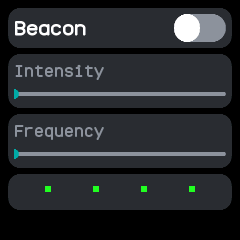
Switched off, at the lowest intensity and frequency.
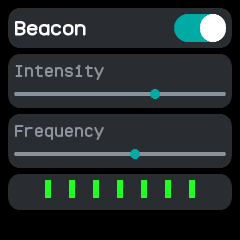
Switched on with both sliders moved up; the preview shows thicker green dashes closer together.