Files
Lists what the watch keeps on its external flash, a folder at a time, with the size of each file, so you can see what fills the storage.
Using it
- The app opens on the top folder. Folders come first, then files, each in order of its name.
- Each row gives the name and the size in bytes, KB or MB. A folder says
Folderand gives the size of every file inside it, all the way down. - Scroll up and down through a long folder. Tap a folder to open it; its path is shown at the top.
- Click the side button to go back up a folder; from the top folder it leaves the app.
- Tapping a file does nothing; the app only lists.
- A folder shows its first 64 entries. Folders exist only through the files in them, so an empty folder never appears; a watch with nothing stored says Empty.
- The watch remembers only the last eight steps back, so from deep down the side button leaves the app before it reaches the top folder.
Screens
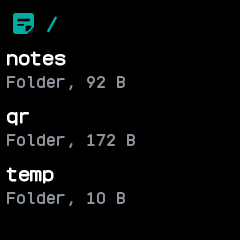
The top folder, /: the notes, qr and temp folders, each with the size of everything inside it.
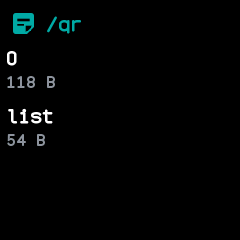
Inside /qr, after tapping qr: its two files, each with its size.