Music
A remote for the phone's music player: it shows the artist, the track and how far into it the player is, and sends the phone play, pause, skip and volume commands. Merged from InfiniTime's Music and wasp-os's music_player.
Using it
- The phone must be connected through the BattleTime companion app. When the app opens it asks the phone what its player is doing, and it follows each report the phone sends.
- The artist sits above the track's title. With no track, it says Nothing playing.
- The top row shows the position and the track's length, and a music note that turns coloured while the track plays. The bar below fills as the track goes on.
- Tap the middle button, play or pause, to start or stop the phone's player. The button changes at once, without waiting for the phone.
- Tap the previous or next button to skip a track. Swipes left and right step round the quick-app ring when the app was opened from it.
- Swipe up to swap the outer buttons for volume down and volume up. Swipe down to bring the skip buttons back; a second swipe down leaves the app.
- Tracks over 99 minutes show hours and minutes, and anything over 99 hours shows as Inf.
Screens
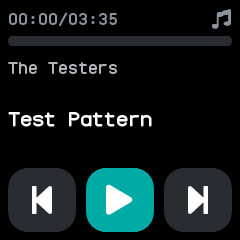
A track paused at its start, before the phone has said where it is.
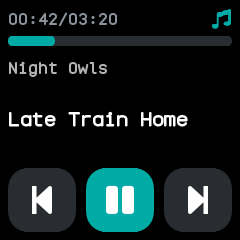
A track playing, 42 seconds in, with the bar filling and the note lit.
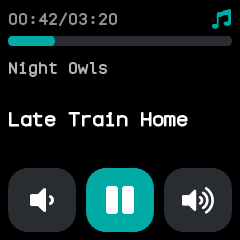
The volume down and up buttons in place of the skip buttons, after a swipe up.
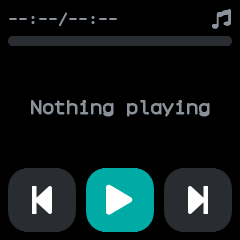
Nothing playing, when the phone reports no track.
With the companion app
The companion app passes the phone's player to the watch: the artist, the track, its length and position, and whether it plays. The watch's buttons control whichever app is playing on the phone, and in the desktop app the computer's player.