What BattleTime does
BattleTime turns a PineTime into a watch that merges the best of InfiniTime and wasp-os: a face and apps you choose and install from the phone, swipes and a side button that always take you back the way you came, and the phone's notifications, calls, music and weather on your wrist. This guide walks through it by topic. Work not done yet is in todo.md, and how the parts are built is in architecture.md.
Getting around
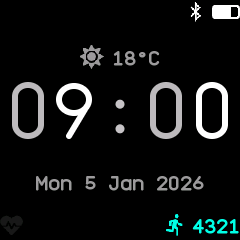
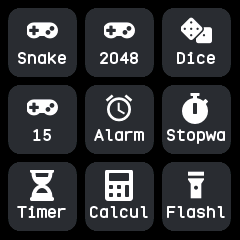
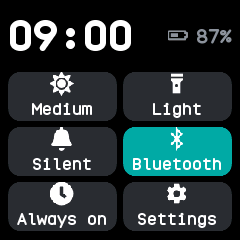
The watch face is home. Swipe up for the launcher, down for the notifications and again for quick settings, and left or right to step through a ring of favourite apps. A click of the side button always goes back, retracing every screen you passed. See Getting around.
Screen and battery
The screen turns itself off after a set time and wakes on the button, a tap, a raised wrist or a shake, as you choose. There is an always-on screen, three brightness levels, six colour themes and a steady battery reading with a warning when it runs low. See Screen and battery.
Time and alarms
The phone sets the clock and time zone, the watch keeps counting through a restart, and the date and time can also be set by hand. Hourly chimes, alarms, timers and the stopwatch ring even when their app is closed. See Time and alarms.
Notifications and calls
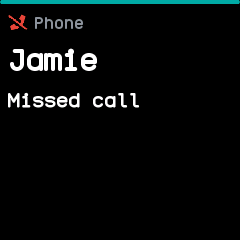
Notifications from the phone pop up as they arrive, each kind with its own icon and colour, and an incoming call rings on the watch, where you can answer, reject or mute it. Do not disturb and a sleep mode keep it quiet. See Notifications and calls.
Health and fitness
The watch counts your steps and keeps 90 days of them, measures your heart rate when asked or in the background, logs heart rate and battery through the day, and times workouts with the sports app. See Health and fitness.
Phone and Bluetooth
The BattleTime companion app, Gadgetbridge and the other InfiniTime companions all work with the watch. Between them they set the time, send notifications, weather, music and directions, find the watch or the phone, and keep a copy of everything the watch records. See Phone and Bluetooth.
Apps and watch faces
The watch carries no apps of its own: you install the face, the launcher and the apps you want from the companion app's store, and turn them on and off on the watch. See Apps and watch faces.
Updates and recovery
Firmware updates arrive over Bluetooth, a bad one rolls itself back, and holding the side button reaches a menu that can roll back or install a recovery firmware. After a crash the watch says what went wrong. See Updates and recovery.