Alarm
Up to twelve alarms, each ringing once or on chosen weekdays, merged from wasp-os's alarm and InfiniTime's Alarm. Nothing runs while it waits: the watch wakes the app when the next alarm is due.
Using it
- The top line shows when the next alarm rings and how long until then, or No alarm set.
- Tap the plus button to add an alarm. It is hidden once there are twelve.
- On the time screen, roll the hour and minute to the time. The rollers follow the 12 or 24 hour clock setting. Tap the cross to give up, or the next arrow to pick the days.
- On the days screen, tap a weekday to turn it on or off, or tap the repeat button to cycle through Once, Every day, Weekdays and Weekend. Tap the tick to save; the alarm is switched on.
- Tap an alarm's time in the list to change it. Its days screen has Delete in place of Cancel.
- Flip an alarm's switch to turn it off or on without deleting it.
- When an alarm rings, the watch wakes and buzzes. Tap Snooze to ring again in ten minutes, or the stop button to dismiss it. The side button also stops the ring, and it stops on its own after a minute.
- An alarm set to ring once switches itself off after it rings.
Screens
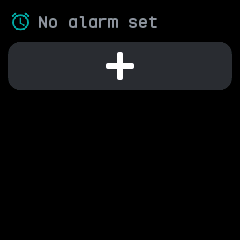
No alarms yet, with only the plus button.
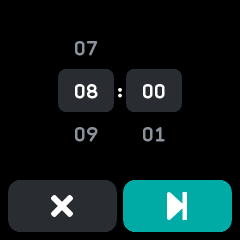
Choosing the time, after tapping plus.
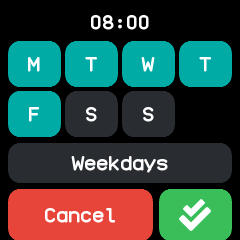
Choosing the days, here Weekdays, after tapping the next arrow.
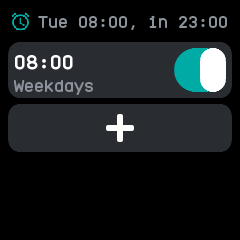
The list after saving, with the next ring time at the top.
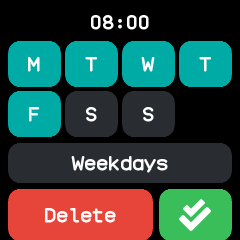
Changing a saved alarm: tap its time, then next. Delete removes it.
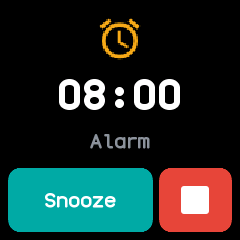
Ringing, with Snooze and stop.
With the companion app
- The companion reads the alarms from the watch and can change them: the Alarms screen under On the watch, and the Alarm plugin's page, list every alarm with its time, its days and a switch, and can add or remove alarms up to the same limit of twelve.
- Changes reach the watch straight away, and the watch works out the next ring again. The command
line's
alarmscommand reads and writes them too. - Open the app on the watch once before the companion can read its alarms.