Quick settings
A pull-down shade with the time, the battery and six buttons for the settings changed most often: brightness, the flashlight, do not disturb, Bluetooth, the always-on screen and Settings. It is built into the firmware, from InfiniTime's QuickSettings screen and Android's pull-down shade.
Using it
- On the watch face, swipe down for the notifications, then swipe down again. Swipe up or press the side button to put it away.
- The time and the battery charge sit at the top; a plug shows while charging.
- The brightness tile shows the level; tap it to step through low, medium and high.
- Light opens the flashlight app.
- Silent steps through three states, as InfiniTime's do not disturb button does: off, silent (do not disturb), and Sleep, which also stops touch, raise and shake from waking the screen and turns the always-on screen off. Its bell is crossed out while silent, and a moon shows in sleep mode; a tap in sleep mode turns both off.
- Bluetooth turns Bluetooth on and off until the next restart.
- Always on keeps the screen on.
- Settings opens the full Settings app.
- A tile that is on is filled in the accent colour.
Screens
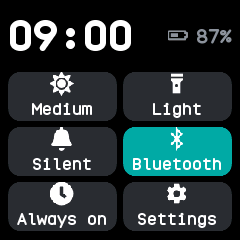
As it opens, with only Bluetooth on.
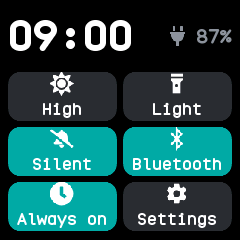
High brightness, with do not disturb, Bluetooth and the always-on screen on, on the charger.
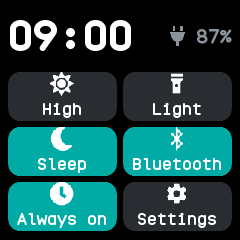
Sleep mode, the third state of the do not disturb tile, shown by a moon.