Steps
A step counter, merged from InfiniTime's Steps and wasp-os's step_counter and steplogger. The system keeps the step history, so nothing here runs in the background.
Using it
- The first page shows today's steps on a ring that fills towards the goal and turns green once it is met. Below are yesterday's total, the goal and the trip meter.
- Tap Reset to set the trip meter back to zero. Past 99999 it reads 99999+.
- The goal is the step goal setting.
- The app has three pages, with a page bar along the bottom. Swipe left for the last seven days as a chart, with a button for each day under it. Tap a day, or swipe left again, for that day by hour.
- On a day, tap < for the day before and > for the day after, back as far as seven days; each is greyed out at the end of the range.
- Swipe right to go back a page.
Screens
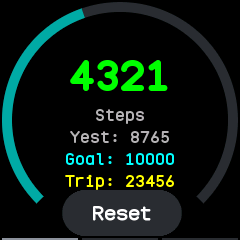
Today's steps, short of the goal, with yesterday's total, the goal and the trip meter.
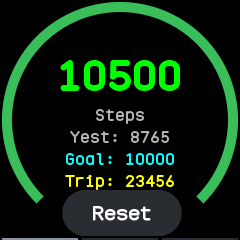
The ring turns green once the goal is met.
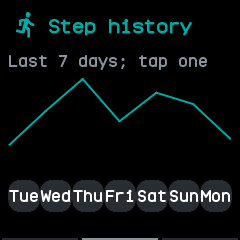
The last seven days, after a swipe left, with a button for each day.
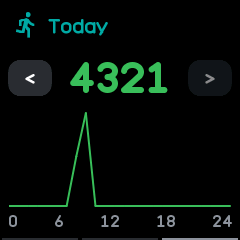
Today by hour, after a second swipe left or a tap on a day; > is greyed out on today.
With the companion app
- The companion syncs the watch's step logs, kept in six-minute slots. Its Steps screen, under On the watch, shows the last week day by day and hour by hour, and its status card shows today's count.
- The Steps plugin's page draws the last two weeks and today's six-minute slots as bar charts.
- The command line's
stepscommand prints the step history.