Trilium Addon Manager (TAM)
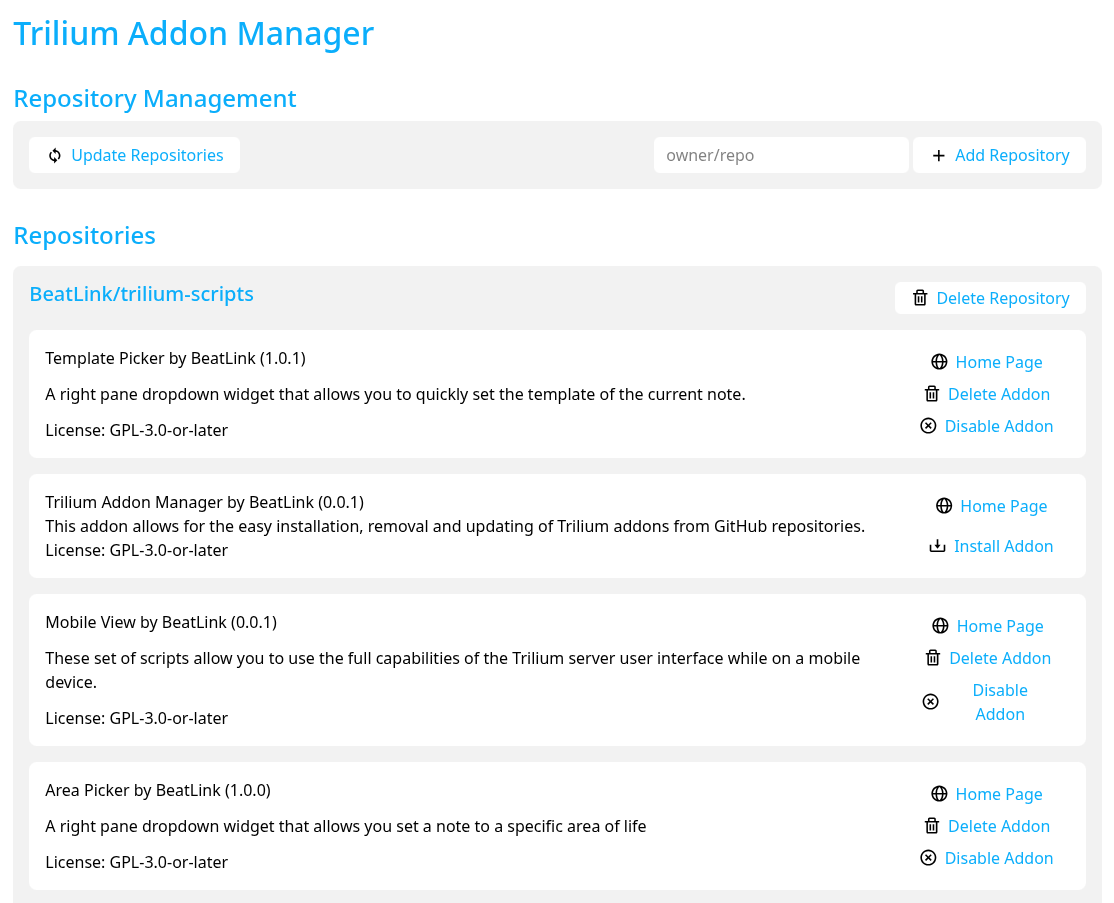
Browse available addons at https://beatlink.github.io/trilium-scripts/
⚠️ Work in progress. TAM's manifest format and its Database/persistence model are under active development and changing frequently. Data loss is possible. Install this to test and explore only — do not use it to manage real/production Trilium data yet.
Overview
Trilium Addon Manager (TAM) is a widget-based addon installer for TriliumNext Notes. It lets you install, update, enable, disable, and remove addons from any manifest URL — a single addon directly, or a whole catalog of them — without leaving Trilium. Addons are described by a _tam_manifest_.json file that tells TAM what notes to create, how to wire them together, and how to handle updates. An addon's files don't need to live anywhere near its manifest — each note's own sourceUrl can point anywhere on the web, so an addon can be composed entirely from files hosted in someone else's repository.
Architecture
TAM is itself an addon. Once installed, its note tree looks like this:
trilium-addon-manager@beatlink (render note)
├── Database (JSON code note)
│ ├── Addons (text note — addon root)
│ └── Addon Data (JSON code note — persistence root)
└── Source Code (JSX render script)
├── TAM.jsx (root widget — see below)
│ ├── TAMShared.jsx / TAMListViews.jsx / TAMDetailAndSettings.jsx / TAMDialogs.jsx /
│ │ TAMCommands.jsx (UI split by concern — presentational primitives, list/catalog
│ │ grid views, detail+settings, dialogs, and the data/command layer, respectively)
│ └── libTAM.js (backend-logic facade)
│ └── libTAMDatabase.js / libTAMNetwork.js / libTAMCatalog.js / libTAMManifestUtils.js /
│ libTAMNoteResolver.js / libTAMSync.js / libTAMPersistence.js / libTAMUninstall.js /
│ libTAMLifecycle.js (backend logic split by concern — see each file's own header
│ comment for what it owns)
└── TAM.css (appCss stylesheet)
Relations wired at install time:
| From | Relation | To |
|---|---|---|
trilium-addon-manager@beatlink |
renderNote |
TAM.jsx |
TAM.jsx |
displayNote |
trilium-addon-manager@beatlink |
libTAMDatabase.js |
database |
Database |
libTAMDatabase.js |
addonRoot |
Addons |
libTAMDatabase.js |
addonPersistence |
Addon Data |
Key notes
- Database — a JSON code note that holds all TAM state: the list of added catalog URLs and, per addon, a single merged record covering its installed state, own manifest structure, persisted data, and pending update prompts (see The Database Record and Persistence). TAM reads and writes this note on every operation.
- Addons — the parent note under which all installed addons are placed as children.
- Addon Data — the parent note under which persistence copies of addon data notes are stored (see Persistence).
- libTAM.js — a thin facade that
require()s and re-exports the 9 backend files below it; nothing else calls those files directly, onlylibTAM.js's own re-exported surface (available globally aslibTAMjs). All 9 run in the browser but useapi.runOnBackend/api.runAsyncOnBackendWithManualTransactionHandlingfor operations that need backend access (fetching URLs, creating notes, modifying note content).libTAMDatabase.jsspecifically owns everyapi.currentNote-bound relation lookup (database/addonRoot/addonPersistence), since that only resolves correctly in the note the relation is declared"from"— everything else receives an id as a parameter instead. - Source Code — a plain empty parent note, existing only to group the actual widget code and its
own children under a clearly-labeled branch of the tree (same shape as any addon's
rootwrapping multiple env variants — see CLAUDE.md's "JS/JSX code note mime" section). - TAM.jsx — the Preact/JSX render widget, nested under Source Code. It owns UI-navigation/dialog
state and the one other
currentNote-bound read (displayNote), composing the rest of the UI from its sibling files (TAMShared.jsx,TAMListViews.jsx,TAMDetailAndSettings.jsx,TAMDialogs.jsx) and the data/command layer (TAMCommands.jsx'suseTamCommandshook), which in turn callslibTAM.js(libTAMjs).
The UI
TAM's own widget is a self-contained Preact app (TAM.jsx), styled to match the
GitHub Pages catalog (docs/) — same card grid, type badges, search/filter toolbar, and sidebar
detail layout — while still adapting to Trilium's light/dark theme via its own CSS custom properties
for surfaces and text. It has no addon dependencies of its own (dependencies: [] in its own
manifest) — everything below is built directly against trilium:preact's built-in components rather
than a shared library like libsettings@beatlink, since a dependency failure in the addon manager
itself would risk taking down the one thing that could otherwise fix it.
- List view (default) — a searchable, filterable card grid of every installed addon (libraries excluded — see Hidden libraries) merged with every not-yet-installed addon from every added catalog (fetched live and deduped by id against what's already installed), so it shows everything available across every added catalog plus anything manually installed by URL, not just what's already on disk. Clicking an installed card opens its detail view; clicking a not-yet-installed one shows an Install button.
- Catalog browse view — fetches a specific catalog's
tam-addons[]list and every manifest it points at, fresh, every time (nothing about a catalog's contents is ever cached — see The Database Record). Not-yet-installed entries show an Install button; already-installed ones open the normal detail view instead. Reached via the Browse button on that catalog's row in the Settings view, not from the main list. - Addon detail view — one page per addon (mirroring
docs/{addon-id}/index.html): a sticky sidebar with the addon's metadata table and full action set (Home Page, Install/Delete, Enable/Disable, Settings, Update), and a main panel with the description and — for installed addons that declare areadmeNote— the addon's own README rendered from its locally installed note (seereadmeNote), no network fetch required. - Settings view — TAM's own housekeeping page, built manually (no
libsettings@beatlinkdependency): a stats overview (catalog count, installed addon count, addons with saved/persisted data, addons with an update available), catalog management (each catalog's row has Browse, Visit Website, and Delete actions, plus adding a new catalog by URL), a single-addon "install by URL" action, and maintenance triggers (Check for Updates, Update All Addons, Validate Database, Clean Up Empty Persistence Roots).
Note Identity: #TAMFILEID
Every note TAM creates or resolves gets a permanent label: #TAMFILEID="{addonId}/{localId}" (e.g.
#TAMFILEID="libical@kewisch/lib"). This label — not any id TAM caches in the Database — is the
canonical way to answer "which real Trilium note is local id X of addon Y": the note carries its
own identity, so it can always be found directly by searching Trilium's own attribute index
(api.getNoteWithLabel("TAMFILEID", value)), instead of trusting an external id map that could
silently drift out of sync with the actual note tree (a partial install failure, a manual edit, a
bug).
This makes resolving/placing a note idempotent: whether a note is being created for the first
time, or one already exists (a retried operation, a note that survived from before, a cross-addon
export being referenced), the same "look it up by TAMFILEID, then clone or create" logic applies —
syncAddon never needs to special-case "did this already happen".
- Never inheritable.
#TAMFILEIDis set with a plainsetLabel/note.setLabelcall (noisInheritableflag) — it identifies exactly one note, and must never propagate to its children, which would make every descendant falsely match the same lookup. - Nothing about note identity is cached in the Database at all — not
rootNoteId, notsettingsNoteId. Instead, each installed addon's Database record stores its own manifest structure (see The Database Record below) —rootNoteId/settingsNoteIdare derived on demand frommanifest.root/manifest.settingsNoteplus a#TAMFILEIDlookup wherever they're needed (enableAddon,deleteAddon, the addon list UI — batched into one backend round trip there). Keeping them "as a cache" would have reintroduced exactly the drift risk this convention exists to remove. - Soft deletes are accounted for.
note.deleteNote()is a soft delete (note.isDeleted), so every TAMFILEID lookup treats a deleted match as "not found" rather than resurrecting/cloning a note that's on its way out.
The _tam_manifest_.json Format
Every TAM addon needs a _tam_manifest_.json. In this repo it lives at addons/{id}/_tam_manifest_.json
by convention, but nothing about that folder layout is actually required — TAM never discovers an
addon by filesystem position, only by fetching whatever URL it's given (see manifestSourceUrl
below), so an addon's manifest and its source files can live anywhere on the web.
Top-level fields
| Field | Required | Description |
|---|---|---|
id |
Yes | Unique addon identifier. Format: addon-name@author. No spaces. |
name |
Yes | Human-friendly display name. |
description |
Yes | Short description shown in the TAM UI and on the catalog website. |
author |
Yes | GitHub username of the author. |
homepage |
Yes | URL to the addon's GitHub page. Purely a human-facing link (TAM's "Home Page" button) — never used by any install/fetch logic. |
license |
Yes | SPDX license identifier (e.g., GPL-3.0-or-later). |
latestVersion |
Yes | Current version string. Follows semver. Incrementing this triggers an update prompt in TAM. |
type |
Yes | Addon category. One of: widget, theme, css, script, library. Used for display only. |
manifestSourceUrl |
No¹ | A URL where this exact manifest document can always be fetched from. See below. |
readme |
No | Relative path to the README file for the catalog website (e.g., README.md). |
manifest |
No | The note-tree manifest (see below). Omit for metadata-only entries. |
¹ Not required for the file to be valid, but required for TAM to actually be able to install it —
validate.py only warns (doesn't error) on a missing manifestSourceUrl, since a manifest that
hasn't been published anywhere yet legitimately doesn't have one.
manifestSourceUrl
The single field that makes an addon installable/updatable by TAM at all. For an addon living in
this repo, it's a raw.githubusercontent.com/.../refs/heads/main/addons/{id}/_tam_manifest_.json
URL — resources/scripts/zip_to_tam.py auto-fills it when its output directory is inside a git
working copy with a github.com origin remote (detecting the current branch and the manifest's path
relative to the repo root); resources/scripts/backfill_manifest_source_url.py does the same
retroactively for every existing addon in this repo (re-run it if an addon's folder ever moves — it's
safe to re-run any time, since it recomputes and overwrites rather than skipping already-set addons).
Hand-author it directly for anything not authored via zip_to_tam.py, or for a manifest that
deliberately doesn't live in this repo's own tree.
TAM's Database stores this value verbatim on the addon's own installed-record, exactly as read from
whichever manifest was fetched — TAM never computes or guesses it. It's what checkForAddonUpdates
re-fetches to check for a newer version, and what a catalog's tam-addons[] list is made of (see
Catalog Format).
manifest sub-object
{
"manifest": {
"root": "note-local-id",
"notes": [...],
"children": [...],
"relations": [...],
"labels": [...],
"dependencies": [...],
"exports": {...}
}
}
root
The local ID of the note that becomes the addon's root note, placed as a child of the Addons parent note.
settingsNote (optional)
The local ID of the note TAM's UI should navigate to for this addon's settings screen. If present,
it's stored as-is in the addon's own manifest.settingsNote (see The Database Record)
and resolved to a real note ID live, via #TAMFILEID, whenever the UI needs it. TAM's UI then shows a
Settings button on that addon's row which activates (navigates to) that note. Point this at the render-type note (typically root),
not at the raw JSX note itself — activating a JSX code note directly opens its source instead of
the rendered UI. See cinnamon-applet-agenda@beatlink/cinnamon-applet-inbox@beatlink, where
settingsNote is root and root in turn has a renderNote relation to the actual settings JSX —
so the same note opens whether you click the addon's root note directly or the Settings button in
TAM.
readmeNote (optional)
The local ID of a note (typically type: "code", mime: "text/markdown", sourceUrl pointing at
the addon's own README.md) that ships as part of the addon's installed note tree, exactly parallel
to root/settingsNote. TAM's addon detail page resolves it live via #TAMFILEID and renders it
with marked — no network fetch involved, since the README is just another installed note, not
something fetched from GitHub at view time. Only available once the addon is actually installed —
browsing a catalog only ever fetches each addon's full manifest, never renders its README pre-install
— so an uninstalled addon's detail page links out to its GitHub homepage instead.
notes
An array of note definitions. Each entry describes one note to create:
{
"id": "local-id",
"title": "Note Title",
"type": "code",
"mime": "application/javascript;env=frontend",
"sourceUrl": "filename.js",
"skipOnUpdate": false,
"promptOnUpdate": false
}
| Field | Description |
|---|---|
id |
Local identifier for this note, used to reference it throughout the manifest. Not stored verbatim in Trilium, but TAM tags the resolved note with a permanent #TAMFILEID="{addonId}/{id}" label (see Note Identity) so it can find this exact note again later. |
title |
The Trilium note title. |
type |
Trilium note type: text, code, render, book, canvas, mermaid, etc. |
mime |
MIME type. For code notes: application/javascript;env=frontend, application/javascript;env=backend, text/jsx, text/css, application/json, etc. |
sourceUrl |
Where this note's actual content lives. A relative path is resolved via new URL(sourceUrl, manifestSourceUrl) — exactly like an HTML <base href> — for a file that ships alongside the manifest; a full http(s):// URL is used as-is for content hosted anywhere else entirely (e.g. pointing straight at an upstream project's own files instead of vendoring a copy). resolveNotes fetches it fresh, backend-side, at install/update time — nothing pre-inlines it into any distribution artifact. |
content |
An escape hatch: a literal inline content string, used directly (no fetch at all) if present. Mostly useful for hand-authored/special-case notes. |
skipOnUpdate |
If true, TAM never overwrites this note's content during updates. Use for user-configurable notes (settings, database). |
promptOnUpdate |
If true, TAM detects content changes during an update and prompts the user to choose between their current version and the new default. Use for notes users are expected to customize but that may receive meaningful upstream changes. |
children
Defines the parent-child tree structure. There are two forms:
Local child — both notes are in this manifest:
{"parent": "root", "child": "script-note"}
Cross-addon child — the child is a note exported by a dependency. This creates a clone branch so the dep note appears under the parent:
{"parent": "script-note", "addon": "libmultisort@beatlink", "child": "lib"}
child is the export name from the dependency's exports map (see Exports). Resolved
live: TAM looks up the dependency's local id for that export name (from the dependency's own
fetched manifest), then finds the real note by #TAMFILEID="{depAddonId}/{localId}".
relations
Defines Trilium relations (typed links between notes).
Local relation — both notes are in this manifest:
{"from": "root", "type": "renderNote", "to": "tam-jsx"}
Cross-addon relation — the target is a note exported by a dependency:
{"from": "script", "type": "scriptNote", "addon": "lib@author", "to": "main"}
to is the export name from the dependency's exports map.
labels
Applies Trilium labels (key-value attributes) to notes after creation:
{"note": "script", "name": "run", "value": "frontendStartup"}
Trilium activation labels (those that cause scripts to run or themes to apply) are managed by TAM's enable/disable system — see Enabling and Disabling.
dependencies
An array of addons that must be installed before this addon. Each entry is either a bare id string:
"dependencies": ["libmultisort@beatlink"]
resolved by matching against whatever's already installed, or against the catalog the consuming addon itself was installed from (this repo's own libraries all use this form — a monorepo catalog naturally lists every addon it depends on too, so a sibling lookup always succeeds); or an explicit object for a dependency that genuinely lives somewhere else entirely:
"dependencies": [{"id": "lib-from-elsewhere@author", "manifestSourceUrl": "https://.../_tam_manifest_.json"}]
TAM recursively syncs all declared dependencies before syncing the addon itself. If a dependency is already installed but its latestVersion is newer than what's currently installed, TAM syncs it in place first — otherwise a dependency bump (e.g. a shared library's note getting renamed) would never reach an addon that already had the old version of that dependency installed, even via "Update All Addons" on the addon that actually changed. See How Sync Works.
exports
Maps export names to local note IDs. This is how other addons reference specific notes in this addon:
"exports": {
"lib": "lib-note-local-id"
}
When a dependent addon references "addon": "this-addon@author", "child": "lib", TAM resolves "lib" through this map to get the local id, then finds the real note live by its #TAMFILEID (see Note Identity). exports{} stays purely a manifest-level encapsulation boundary — it lets an addon restructure its own internal local ids across a version bump without breaking consumers, as long as the exported name keeps meaning the same thing — no note ids are cached from it.
The Database Record
database.installedAddons is a flat map keyed by addonId alone — not nested under any
catalog/repository key, since an addon's identity is its own manifest id, independent of which
catalog (if any) it happened to be discovered through. database.catalogs is a plain array of added
catalog URLs — nothing about a catalog's contents is ever cached (see Catalog Format),
so deleting a catalog from the browse list never touches anything already installed from it.
Every installed addon's entry in database.installedAddons[addonId] is:
{
"installedVersion": "1.2.3",
"manifestSourceUrl": "https://raw.githubusercontent.com/.../_tam_manifest_.json",
"manuallyInstalled": true,
"enabled": true,
"meta": { "name": "...", "description": "...", "author": "...", "license": "...", "type": "...", "homepage": "..." },
"manifest": { "root": "...", "settingsNote": "...", "readmeNote": "...", "notes": [...], "children": [...], "relations": [...], "labels": [...], "dependencies": [...], "exports": {...} },
"persistence": { "rootNote": "...", "persistenceNotes": {...}, "pendingPrompts": [...] }
}
manifest is the addon's own manifest structure — the exact same shape as _tam_manifest_.json's
manifest sub-object — minus per-note sourceUrl/content (see stripManifestForStorage). This is
deliberately not "just re-fetch the manifest whenever you need it": a manifestSourceUrl only
ever serves the current version, so once a newer one is published this is the only record of what's
actually installed, and it means an upstream manifest change never silently affects an addon until
it's actually synced to that new version.
Only a handful of facts are genuinely irreducible and can't be derived from the manifest or the live
note tree:
- installedVersion — a manifest fetch always reflects the latest available version, never
what's actually installed.
- manifestSourceUrl — exactly which URL this install came from, read verbatim from the fetched
manifest at sync time. Used to re-fetch for update checks.
- meta — a snapshot of the manifest's own top-level display fields (name/description/etc.)
at sync time, needed to render the addon list/detail views without a live catalog to pull them from.
- manuallyInstalled — true if the user explicitly installed this addon; false if it was only
ever pulled in as someone else's dependency. Pure user intent. Only ever promotes false → true,
never the reverse.
- enabled — technically derivable (scan the root subtree for disabled:-prefixed activation
labels), but cached here anyway since it's read on every addon-list render.
Everything else is read straight from the stored manifest (dependencies, exports) or derived on
demand: rootNoteId/settingsNoteId resolve via #TAMFILEID from manifest.root/
manifest.settingsNote whenever needed; dependents (who depends on this addon) is the reverse
of dependencies, computed by getDependents(database, addonId) scanning every other installed
addon's own record — nothing is pushed or maintained as edges change, so nothing can drift out of
sync. Used by checkForAddonUpdates's update-propagation and uninstallAddon's
cascade-uninstall-if-unused check.
persistence is the one part of the record allowed to survive after installedVersion/manifest/
etc. disappear on uninstall — see Persistence.
Hidden libraries, resolved lazily and rootlessly
Addons with "type": "library" are never shown in TAM's addon list — TAM installs, updates, and
uninstalls them automatically as a side effect of managing whatever depends on them. A library is
never installed on its own, so syncAddon never resolves one's whole manifest up front; dependency
resolution is entirely lazy and scoped, driven from whichever cross-addon children[]/relations[]
entry actually references it:
ensureDependencyExport(depId, exportKey, parentRealId, ctx)is the whole mechanism. It looks up the export's local id in the dependency's manifest, thencomputeLocalClosurewalks outward through the dependency's ownchildren[]/localrelations[]to find the transitive set of notes that export actually needs — nothing else in the dependency's manifest is touched. That closure is resolved viaresolveManifest(the same pipeline a full addon install uses, just scoped) with the export note parented directly wherever the consumer needs it — no addon-external anchor note anywhere, since a dependency's notes only ever exist as clones under whichever consumer(s) pulled them in.- A second consumer needing the same or overlapping export finds what was already resolved via
#TAMFILEIDand clones it in — there's no "which addon owns the master copy" question. - A cross-addon reference within that closure (a library depending on another library) recurses into
ensureDependencyExportone level deeper, with cycle protection (ctx.resolvingExports). - Each dependency still gets its own
database.installedAddons[depId]entry (recordDependencyMeta) with its full fetched manifest (not just the resolved closure — every lookup already tolerates "not found"), so update-checking and dependent-tracking work exactly as for a directly-installed addon.pruneRemovedNotesstill runs on every resolution. - Known, deliberate gap:
connectAddonPersistenceand the enable/disable label-toggling machinery aren't wired into the lazy dependency path — both assume a single addon-owned root note whose subtree is the whole addon, which doesn't fit a partially-resolved closure. No current library in this repo needsAddonData:persistence or independent enable/disable.
deleteAddon is branch-scoped, not a direct note.deleteNote() on the root: detachAddonOwnedBranches
scans every live #TAMFILEID-tagged note whose value starts with {addonId}/ and detaches it from
each current parent unless that parent is tagged as belonging to a different addon. A note only
actually disappears once none of its parents are left — so a dependency still depended on by another
installed addon is provably safe to leave alone, not just probably safe, and this never depends on
assumptions about Trilium's own delete-cascade behavior toward a multi-parented note. Scanning the live
tree by tag (rather than walking addonRecord.manifest.notes, a stored snapshot from the last sync) is
what makes this self-healing: a note whose local id got removed from a later manifest version, but
whose removal was never picked up by a pruneRemovedNotes run on an in-between update, still gets
found here — cleanup no longer depends on the stored manifest matching what's actually in the tree.
sweepOrphanedNotes (Settings' "Sweep Orphaned Notes" button) is a separate, user-triggered
maintenance action — never run automatically — that deletes any #TAMFILEID-tagged note with zero
parents anywhere. Nothing in normal operation should ever produce one; it's a safety net for a partial
sync failure, not a routine cleanup step.
Catalog Format
A catalog is nothing more than a URL serving:
{
"webUrl": "https://.../",
"tam-addons": ["https://.../addons/foo@bar/_tam_manifest_.json", "https://.../addons/baz@qux/_tam_manifest_.json"]
}
tam-addons is a flat array of manifestSourceUrls, with no per-entry summary metadata at all.
webUrl is optional — a human-browsable website for the catalog (this repo's is its GitHub Pages
site) — fetched on demand (fetchCatalogMeta, a single lightweight request, no addon manifests
involved) for the "Visit Website" button in Settings' catalog list, and included "for free" as part of
the fuller fetchCatalogAddons fetch used to actually browse a catalog's addons.
TAM's "add catalog" action just remembers the URL; every time you actually browse that catalog
(fetchCatalogAddons), it re-fetches the list and then fetches every manifest on it, fresh — nothing
about a catalog's contents is ever cached, so there's no separate "refresh this catalog" action
needed, unlike the old per-repository metadata.json registry this replaced. This repo's own catalog
(https://beatlink.github.io/trilium-scripts/catalog.json) is generated by generate_pages.py from
every addon's own manifestSourceUrl and served via GitHub Pages — no GitHub Releases involvement at
all for the catalog or the install/update path; Releases are used purely for the {id}.zip exports
(see Scripts Reference).
You don't need a catalog at all to install a single addon — TAM's "install by URL" action
(installByUrl) fetches one manifest directly, discovers its own id, and installs it exactly like
any catalog-sourced install.
How Sync Works
syncAddon(addonId, options) is the single entry point for getting an addon's notes to match its
manifest — a first install, a version update, and TAM updating itself are all the same call.
options.manifestSourceUrl is required for a fresh install and optional for an update (falls back to
the stored record). This used to be three separate functions (installAddon/updateAddon/
selfUpdateAddon) before find-or-create-by-#TAMFILEID removed the need to delete everything first
for a clean slate.
- Fetch the addon's manifest from
manifestSourceUrl. collectPendingPromptssnapshots anypromptOnUpdatediffs against currently persisted content, before anything touches it (seepromptOnUpdate).resolveManifestresolves the addon's own notes (resolveNotes, topological order) and walkschildren[]/relations[], recursing intoensureDependencyExportfor cross-addon references (see Hidden libraries). Per note: found via#TAMFILEID(and not soft-deleted) → cloned into the correct parent, content/type/mime overwritten unlessskipOnUpdate/promptOnUpdate/persisted say otherwise; not found → created and tagged. Content is fetched fresh fromsourceUrl(resolved againstmanifestSourceUrl), backend-side, through the same 429 retry-with-backoff wrapper every fetch in this file uses. A note's fetch failure is logged and it (and anything parented under it) is skipped, not fatal. TAM's own root note is the one structural special case — it lives above the Addons tree (wherever it was manually ZIP-imported), so its own parent is never touched.reconcileNoteParentingclones every note into every parent its manifest currently declares and detaches it from any parent it's no longer declared under — scoped to only ever detach a branch this addon's own manifest created, so a lazily-resolved dependency export shared by multiple consumers is never mistaken as stale by another consumer's clone.- Labels/relations are (re)applied, scoped to whatever was just resolved. Both are disable-state aware — if the addon is currently disabled, writes go to the
disabled:-prefixed name instead of live-reactivating it. A trailing(inheritable)suffix on a label name sets a realisInheritableattribute. pruneRemovedNotesdeletes any live#TAMFILEID-tagged note under this addon's prefix whose local id is no longer in the current manifest — for the top-level addon and again for every dependency touched along the way.- The Database record is updated: merged in place (never resetting
manuallyInstalled/enabled/persistence) if already installed, written fresh only for a genuine first install.updateAvailableis explicitly cleared on the merge path. - Persistence is (re)connected (see Persistence) — runs unconditionally for the top-level addon, so a newly-added
AddonData:relation on an existing addon is picked up on its next sync. Not wired into the lazy dependency path. - A brand-new (non-self) install is left disabled; an already-installed addon's
enabledstate is untouched.
There is no cascade to a dependent when its own dependency updates: a dependency's notes resolve in
place (the real note id a dependent's clone points at never changes across a version bump), so there's
nothing for existing clones to break. The one known gap: if a dependency removes a previously
exported note while a dependent still holds a clone of it, that dependent isn't automatically
resynced — ensureDependencyExport just returns null for a vanished export (logged and skipped).
Update All Addons: calls syncAddon for every out-of-date addon in sequence, TAM included. If any
have pending promptOnUpdate prompts, the Update Review screen is shown once per addon until the
queue is empty.
Validating the Database
The Validate Database button runs libTAMjs.validateDatabase(), which audits every installed
addon against the live Trilium note tree — read-only, never fixes anything:
- Duplicate
#TAMFILEIDs — no two live notes claim the same{addonId}/{localId}value (the one thing a live-lookup design can't self-correct, sincegetNoteWithLabeljust returns whichever match it finds first). - Missing dependency — a declared
manifest.dependenciesentry that isn't actually installed. - Note existence — the stored
manifest.root/manifest.settingsNotelocal ids still resolve, checked only for an addon that's both installed andmanuallyInstalled— a lazily-resolved dependency's root is never forced into existence at all (see Hidden libraries), so a missing one there is expected, not an issue. - Persistence integrity —
persistence.rootNoteand everypersistence.persistenceNotesentry still exist, and every liveAddonData:keyrelation in an installed addon's subtree still points at the persisted note TAM's database says it should.
Returns a flat list of { addonId, message } issues, rendered as a dismissible panel. There is no
offline "repair" action — an addon flagged here should just be reinstalled/updated, since syncAddon
already idempotently reconciles everything fresh via #TAMFILEID against a real network fetch.
Related but separate: Sweep Orphaned Notes (sweepOrphanedNotes) is the one action here that does
fix something — it deletes any #TAMFILEID-tagged note with zero parents, a safety net for a partial
sync failure.
Enabling and Disabling
TAM enables and disables addons by toggling Trilium activation labels. The following labels are considered "activation labels":
widget, renderNote, run, customRequestHandler, customResourceHandler, titleTemplate, appCss, webViewSrc, iconPack, runOnNoteCreation, runOnNoteTitleChange, runOnNoteChange, runOnNoteContentChange, runOnNoteDeletion, runOnBranchCreation, runOnBranchChange, runOnBranchDeletion, runOnChildNoteCreation, runOnAttributeCreation, runOnAttributeChange, appTheme
Disabling: Each activation label is renamed to disabled:{labelName} (e.g., run → disabled:run). Trilium does not recognize disabled: prefixed labels, so the scripts stop running.
Enabling: Each disabled:{labelName} label is renamed back to {labelName}.
TAM scans the entire subtree of the addon's root note, so activation labels on any descendant note are toggled correctly.
Persistence
Some addon notes hold user data (settings, cached data, customized content) that should survive addon
updates and uninstalls. These are marked with an AddonData:key relation in the manifest.
Persistence data lives nested under the same database.installedAddons[addonId] record as everything
else TAM tracks about that addon (persistence: { rootNote, persistenceNotes, pendingPrompts }).
installedVersion/manifest/etc. describe the currently installed state and disappear on uninstall;
persistence is the one part of the record allowed to outlive it.
A persisted note's content is always protected from resolveNotes' content-overwrite, regardless
of skipOnUpdate/promptOnUpdate. api.duplicateSubtree (used to create the persisted copy) copies
every attribute from the original, including its #TAMFILEID label — so once the original is deleted,
the persisted copy becomes the only note left carrying that tag, and without this protection the next
sync would find it, clone it back into the addon's tree, and overwrite it with the shipped default.
First install: TAM scans the addon's subtree for AddonData:key relations; for each one found,
duplicates the target note into a per-addon folder under Addon Data (created just-in-time, the
first time an addon actually has something to persist), rewires the relation to point at the copy, and
saves the key → persistedNoteId mapping.
Reinstall after an update: the relation is rewired to the already-existing persisted note instead of duplicating again — user data is preserved unchanged.
Persisted notes are never deleted by TAM, even on uninstall — deleteAddon keeps a reduced record
containing just the persistence sub-object rather than removing the entry outright, and a later
reinstall of that addonId picks it back up automatically. The one exception is the per-addon folder
itself: if it ends up empty, TAM deletes it and clears rootNote — checked on every
connectAddonPersistence run and swept across every installed addon by cleanupEmptyPersistenceRoots
whenever "Check for Updates" runs. If that sweep empties a record with no installed state and no
pending prompts, the whole record is dropped.
skipOnUpdate
Set "skipOnUpdate": true on any note whose content should never be overwritten during an update. Typical uses:
- Database / settings notes — the user fills these in after installation; an update must not reset them.
- Root render notes — structural notes whose content is not meaningful (empty or a stub).
During a sync, resolveNotes skips content writes (and the sourceUrl fetch that would otherwise feed them) for any found note with skipOnUpdate: true — see How Sync Works.
promptOnUpdate
Set "promptOnUpdate": true on notes that users are expected to customize, but where upstream changes may also be meaningful and should be surfaced. This is a middle ground between "always overwrite" (default) and "never overwrite" (skipOnUpdate).
Before an update:
1. TAM reads the note's current content from its persisted copy.
2. TAM reads the new content from the incoming manifest (fetched fresh from its sourceUrl).
3. If they differ, TAM stores a pending prompt (both versions of the content plus the note title).
After reinstallation, if there are pending prompts, TAM shows the Update Review screen: - Each changed note is shown with two side-by-side panels: Keep Mine (current) and Use New Default (incoming). - The default selection is Keep Mine. - The user can switch any note to "Use New Default" before clicking Apply. - Choosing "Use New Default" writes the new content to the persisted note. Choosing "Keep Mine" leaves it untouched. - Once all choices are applied, the review is dismissed and the addon UI reloads.
promptOnUpdate only makes sense on notes that are also tracked by an AddonData:key relation (i.e., notes in the persistence tree). If a note has promptOnUpdate but no AddonData: relation, it will be skipped.
Scripts Reference
All scripts live in resources/scripts/ and are run from the repository root.
validate.py
Validates all _tam_manifest_.json files before publishing. Checks:
- All required top-level fields are present (
id,name,description,author,homepage,license,latestVersion,type). homepageends withaddons/{id}when the path contains/addons/(auto-fixable with--fix).readmefile exists on disk if declared.manifestSourceUrlis present (a warning, not an error — a not-yet-published addon legitimately won't have one).manifest.rootexists inmanifest.notes.- Every relative
sourceUrlresolves to a real file on disk (a local-dev-only check — absolute URLs are exempt). - All
children,relations, andlabelsreference note IDs that exist inmanifest.notes. manifest.dependenciesis a list where each entry is a bare id string or a well-formed{id, manifestSourceUrl}object.
Run in CI before every publish. Exits with code 1 if any errors are found.
python resources/scripts/validate.py [--fix]
tam_to_zip.py
Converts a _tam_manifest_.json into a Trilium-importable ZIP export (the format Trilium's "Import" function accepts). Automatically discovers and bundles dependency addons from the sibling addons/ directory.
- For each note in the manifest, fresh Trilium note IDs are generated.
- Every note gets a real
#TAMFILEID="{addonId}/{localId}"label baked into the exported ZIP (see Note Identity) — a manually-imported ZIP is fully self-identifying from the moment of import, with no separate bootstrap/tagging step needed for TAM to recognize its own notes on a later sync. - Dependency addons are read from
addons/{dep-id}/_tam_manifest_.jsonin the same repo and bundled as additional root entries in the ZIP's!!!meta.json— this only works for a bare-id dependency (or an explicit one that happens to also have a local sibling folder); a dependency that only exists at a remotemanifestSourceUrlcan't be bundled into an offline ZIP and is skipped with a warning. - Cross-addon clone children and relations are wired using the generated UUIDs, resolved via each dependency's
exportsmap.
python resources/scripts/tam_to_zip.py addons/{addon-id}/ [--out output.zip] [--addons-dir path/to/addons/]
The --addons-dir defaults to the parent directory of the addon being exported (i.e., addons/). Override it if running from a different working directory.
Pass --all instead of a manifest path to build every addon's ZIP in one call — scans --addons-dir (default addons/) for every */_tam_manifest_.json and writes {id}.zip for each into --out-dir (default the current directory). This is what the publish workflow uses instead of shelling out to tam_to_zip.py once per addon:
python resources/scripts/tam_to_zip.py --all [--addons-dir addons/] [--out-dir .]
zip_to_tam.py
Converts a Trilium export ZIP into a _tam_manifest_.json + flat source files. This is the reverse of tam_to_zip.py and is used when migrating an existing addon (developed and exported from Trilium) into the TAM manifest format.
- Reads
!!!meta.jsonfrom the export ZIP. - Assigns stable local IDs to notes by slugifying their titles.
- Copies source files flat into the output directory.
- Handles clone entries (notes that appear under multiple parents) correctly — they become extra
childrenentries referencing the same local ID rather than duplicate note entries. - Filters out
noImportscaffold entries. - Auto-fills
manifestSourceUrlif--outis inside a git working copy with agithub.comorigin remote (using the current branch and the manifest's path relative to the repo root); otherwise leaves it unset. - Outputs a
_tam_manifest_.jsonwithFILL_INplaceholders for top-level metadata fields that must be filled in manually.
python resources/scripts/zip_to_tam.py path/to/export.zip [--out ./output-dir/]
After running, fill in the FILL_IN fields in _tam_manifest_.json, review the auto-generated local IDs, add dependencies/exports if needed, and set skipOnUpdate/promptOnUpdate on appropriate notes.
backfill_manifest_source_url.py
One-time (but safe to re-run) backfill: adds manifestSourceUrl to every addons/*/_tam_manifest_.json in this repo, using the same git-remote detection zip_to_tam.py uses. Recomputes and overwrites the field every time rather than skipping addons that already have it, so re-running it also fixes up any manifest that moved since it was last set.
python resources/scripts/backfill_manifest_source_url.py
generate_pages.py
Generates the static GitHub Pages catalog site at docs/. For each addon:
- Renders a card on the index page with name, type badge, description, version, and author.
- Renders a detail page (
docs/{addon-id}/index.html) with the README, metadata table, and download buttons. - The index page has a search bar and type filter buttons.
- Author names link to their GitHub profiles.
- Download buttons: Download ZIP (Trilium import), View Manifest (the addon's own
manifestSourceUrl, if set), Source (GitHub homepage).
Also generates docs/catalog.json — the {"tam-addons": [...]} list of every addon's own manifestSourceUrl (addons missing one are skipped) — this is what TAM's "add catalog" action consumes; see Catalog Format. And regenerates README.md from README_base.md by injecting an addon table between <!-- GENERATED:START --> and <!-- GENERATED:END --> markers.
python resources/scripts/generate_pages.py
Requires the markdown package (pip install markdown).
publish_release.py (CI-only)
Uploads every {id}.zip produced by tam_to_zip.py --all to two GitHub releases: a new, uniquely-tagged release for this exact publish run (permanent — this is how a user gets an older version, by grabbing that release's zip and importing it manually) and the floating latest-tagged release (refreshed with the same assets, so "download current" links keep working without needing to know a specific version tag). Requires an authenticated gh CLI (GITHUB_TOKEN in the environment).
python resources/scripts/publish_release.py
GitHub Actions Workflows
publish.yml
Runs on every push to main and on manual dispatch. Steps:
validate.py— validates all manifests, fails the workflow on errors.tam_to_zip.py --all— produces{id}.zipfor every addon.publish_release.py— publishes both the new versioned release and the refreshedlatestrelease.
pages.yml
Runs on every push to main and on manual dispatch. Builds and deploys the GitHub Pages catalog site:
- Installs the
markdownPython package. - Runs
generate_pages.pyto producedocs/(includingcatalog.json). - Uploads
docs/as a Pages artifact and deploys it.
Installing TAM
The only thing that's actually different about installing TAM itself is how it gets its first manifest fetch — there's no other TAM around to click "Install" for you. Everything else is the ordinary sync path:
- Download
trilium-addon-manager@beatlink.zipfrom the latest release. - In TriliumNext, use Import to import the ZIP under any note.
- Open the imported
trilium-addon-manager@beatlinkrender note. database.json's seed content pre-populatesinstalledAddons["trilium-addon-manager@beatlink"]with just TAM's ownmanifestSourceUrl(not a full record — there's nowhere to derive the rest from before a real sync resolves the actual note tree). On load, the UI checks whether that record is fully populated yet (has aninstalledVersion); if not, it triggers one ordinarysyncAddoncall for TAM against that seeded URL — the exact same call any other addon's first sync would make. Since every note in the ZIP already carries its correct#TAMFILEID(baked in bytam_to_zip.pyat build time), that sync finds everything by lookup rather than creating anything, and finishes by writing a real, fully-populated Database record — after which TAM is indistinguishable from any other installed addon, including showing up correctly in future "Check for Updates" runs.- Add
https://beatlink.github.io/trilium-scripts/catalog.jsonas a catalog (pre-added by default, indatabase.json's seed content) and browse it to install addons — or install any single addon directly by pasting itsmanifestSourceUrl.